How to Automate Backups on Oracle Cloud Free Tier VPS

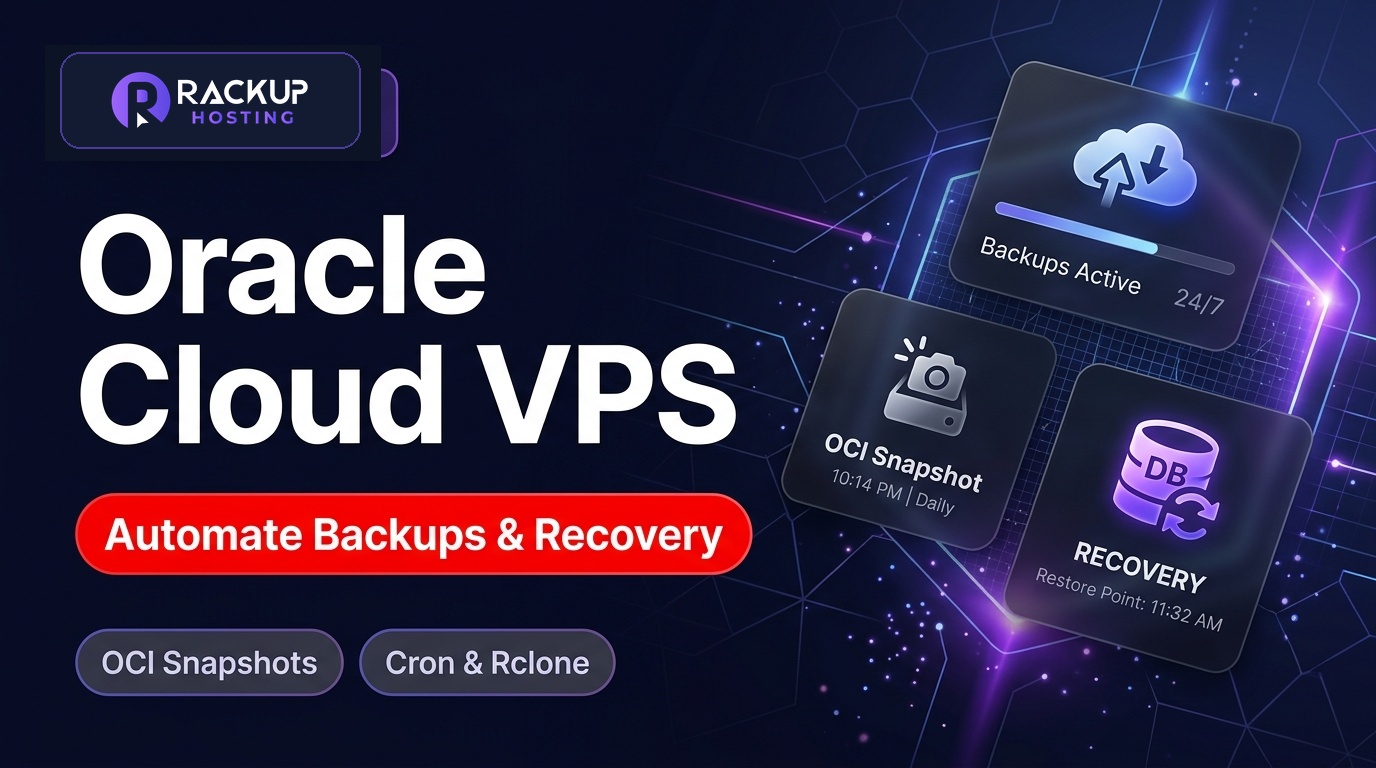
Key Takeaways
- ✓Install OCI CLI and configure API signing keys for automated snapshots
- ✓Write a daily Bash script for Gzip MySQL dumps and web file archiving
- ✓Sync encrypted backups off-site using rclone S3 integration and Cron
Table of Contents
- •How to Automate Backups on Oracle Cloud Free Tier VPS
- •Why Automated Backups Are Critical on Oracle Cloud Free Tier
- •Step 1: Install and Configure OCI Command Line Interface (CLI)
- •Step 2: Create Automated MySQL & Web File Backup Script
- •Step 3: Sync Encrypted Backups Off-Site with Rclone (S3 / Backblaze B2)
- •Step 4: Automate Execution via Crontab Schedule
- •Step 5: Testing & Disaster Recovery Restoration
- •Advanced Strategy: Automated OCI Boot Volume Snapshots via OCI CLI
- •Best Practices for Backup Retention & Security
- •Frequently Asked Questions (FAQ)
- •The 3-2-1 Backup Strategy: Offloading Encrypted Backups to Cloudflare R2
- •Conducting Cold Disaster Recovery Drills: Restoring from Scratch
- •Automating Database Consistency with Pre-Backup MySQL Flushes
- •Verifying Backup Integrity with Automated Checksums (SHA-256)
- •Setting Up Automated Email Alerts on Backup Completion or Failure
How to Automate Backups on Oracle Cloud Free Tier VPS
Operating a production web application, MySQL database, or WordPress site on Oracle Cloud Infrastructure (OCI) Free Tier offers incredible compute value, but it also carries an inherent operational risk that many developers discover too late: Oracle Cloud Free Tier Always Free instances do not include automated built-in backup schedules by default.
If your compute instance suffers file system corruption, an inadvertent kernel misconfiguration, or an automated tenancy idle reclamation, unbacked-up data can be lost permanently. While paid enterprise tenancies allow automated backup policies via the OCI Console, Free Tier block volumes require custom automation. In this comprehensive step-by-step guide, we will cover how to write automated OCI CLI snapshot scripts, schedule local cron jobs, configure database dumps, and sync encrypted backups to off-site cloud storage (S3 / Backblaze) using rclone.
If you have already optimized your server performance by following our guides on Opening Ports 80 & 443 on Oracle VPS and Fixing Oracle Cloud Out of Memory Crashes, establishing an automated backup pipeline is the next step to protect your data.
Prefer automated backups without writing custom scripts? RackUp’s managed hosting includes automated backups with one-click restore.
Why Automated Backups Are Critical on Oracle Cloud Free Tier
Why is automated backup scheduling so crucial for Oracle Cloud VM instances compared to traditional web hosting providers?
No Native Free Auto-Snapshots: OCI Backup Policies for boot and block volumes are restricted or require manual execution on Free Tier accounts. Without explicit automation, no background snapshots are created.
Database Corruption Resilience: Abrupt process terminations (such as Out of Memory kernel kills) can leave MySQL InnoDB tables in a damaged state requiring clean dump restoration to recover data integrity.
Disaster Recovery Readiness: Storing backups solely on the same physical VM storage volume provides zero protection if the instance fails to boot. Copies stored off-site survive the loss of your server or even its data center.
Peace of Mind During OS Upgrades: Having daily automated snapshots allows developers to execute system kernel updates, Nginx upgrades, and PHP version migrations with full confidence.
Step 1: Install and Configure OCI Command Line Interface (CLI)
Connect to your Oracle Cloud instance via SSH and install the official Oracle Cloud Infrastructure CLI tool:
# Download and execute the official OCI CLI installer script
bash -c "$(curl -L https://raw.githubusercontent.com/oracle/oci-cli/master/scripts/install/install.sh)"

# Accept default installation paths and reload shell profile
exec -l $SHELL

# Verify OCI CLI installation version
oci --version
Generate your API signing key pair and configure authentication credentials:
# Initialize interactive OCI CLI configuration
oci setup config
Provide your User OCID, Tenancy OCID, and Region (found in the OCI Console under User Settings & Tenancy Details). The CLI will generate a public key (~/.oci/oci_api_key_public.pem). Copy this public key, log into the OCI Console, navigate to User Settings > API Keys, and click Add API Key. Test your API connection by running oci os ns get.
Step 2: Create Automated MySQL & Web File Backup Script
Create a dedicated script directory and construct a unified backup bash script that exports database dumps and compresses web application document roots:
# Create backup directory with restricted permissions
sudo mkdir -p /opt/backups
sudo chmod 700 /opt/backups

# Create backup script
sudo nano /opt/backups/daily_backup.sh
Paste the following automated backup script into the file:
#!/bin/bash

# Configuration Variables
TIMESTAMP=$(date +"%Y-%m-%d_%H%M%S")
BACKUP_DIR="/opt/backups/archive"
MYSQL_USER="root"
MYSQL_PASSWORD="YOUR_SECURE_MYSQL_PASSWORD"
WEB_ROOT="/var/www"
RETENTION_DAYS=7

# Create archive subfolder
mkdir -p ${BACKUP_DIR}

# Step 1: Dump all MySQL databases into a compressed Gzip file
mysqldump --all-databases --single-transaction --quick --lock-tables=false -u ${MYSQL_USER} -p"${MYSQL_PASSWORD}" | gzip > ${BACKUP_DIR}/db_backup_${TIMESTAMP}.sql.gz

# Step 2: Compress web application document roots and SSL configs
tar -czf ${BACKUP_DIR}/web_files_${TIMESTAMP}.tar.gz ${WEB_ROOT} /etc/nginx/sites-available

# Step 3: Remove local backups older than retention threshold
find ${BACKUP_DIR} -type f -mtime +${RETENTION_DAYS} -delete

echo "Local backup completed successfully at ${TIMESTAMP}"
Grant execution permissions to your script: sudo chmod +x /opt/backups/daily_backup.sh.
Step 3: Sync Encrypted Backups Off-Site with Rclone (S3 / Backblaze B2)
Storing backups solely on your server's local NVMe drive leaves you vulnerable to host hardware failures. We will use rclone to automatically sync compressed archives to remote cloud storage (Amazon S3, Backblaze B2, or Google Cloud Storage):
# Install rclone on Ubuntu/Debian
sudo apt update && sudo apt install -y rclone

# Configure remote cloud storage endpoint interactively
rclone config
Follow the interactive prompt to connect your S3 bucket or Backblaze B2 repository. Append the rclone sync command to your daily backup script:
# Append rclone sync command to daily_backup.sh
rclone sync /opt/backups/archive remote_s3_bucket:oracle-vps-backups/ --min-age 0 --log-file=/var/log/rclone_backup.log
Step 4: Automate Execution via Crontab Schedule
Schedule your backup script to execute automatically every night at 2:00 AM using system cron:
# Open root user crontab editor
sudo crontab -e
Add the following cron schedule entry to the bottom of the file:
# Execute daily backup script at 2:00 AM every night
0 2 * * * /opt/backups/daily_backup.sh >> /var/log/oracle_backup.log 2>&1
Save and exit. Your backup pipeline is now fully automated and will run every night without manual intervention!
RackUp IT - View Cloud Hosting Plans
Click the button below to learn more and get started.
Step 5: Testing & Disaster Recovery Restoration
A backup pipeline is only as reliable as its restoration process. Test database and file restoration periodically on a staging server or local environment:
# Decompress web files archive
tar -xzf web_files_2026-08-07.tar.gz -C /var/www/

# Restore MySQL database dump safely
gunzip < db_backup_2026-08-07.sql.gz | mysql -u root -p
Verify that your restored website loads correctly and that database records match recent application states.
Advanced Strategy: Automated OCI Boot Volume Snapshots via OCI CLI
In addition to file and database level backups, you can trigger cloud-level block volume backups programmatically using the OCI CLI command line interface:
# Trigger an automated OCI boot volume backup
oci bv boot-volume-backup create --boot-volume-id ocid1.bootvolume.oc1... --display-name "Daily-Auto-Backup-$(date +%Y-%m-%d)"
Combining local file compression with cloud block volume snapshots creates an enterprise-grade dual-layer backup architecture on free hardware.
Best Practices for Backup Retention & Security
To maximize data safety and compliance when managing cloud backups, adopt these industry standards:
Follow the 3-2-1 Rule: Maintain 3 total copies of critical web data, across 2 different storage media types, with 1 copy stored in an off-site geographical cloud region.
Enforce Zero-Trust Encryption: Always encrypt backup archives using GPG or client-side rclone encryption before syncing data to public S3 buckets.
Automate Retention Pruning: Ensure old daily backups are automatically deleted after 7 to 30 days to prevent cloud storage bill surprises.
Frequently Asked Questions (FAQ)
Can I automate OCI Boot Volume Snapshots via OCI CLI?
Yes. You can use the command oci bv boot-volume-backup create --boot-volume-id <OCID> inside a cron script to trigger cloud-level block volume backups programmatically.
How much storage space do I need for off-site backups?
For a typical WordPress website (1GB database + 3GB media assets), a 7-day rolling retention archive consumes approximately 15GB to 25GB of remote cloud storage (costing less than $0.15/month on Backblaze B2 or S3 Glacier).
Why should I compress database dumps with gzip?
SQL dumps are plain text and compress very well with gzip, which speeds up off-site cloud synchronization speeds and cutting remote storage costs.
What happens if the backup script fails during execution?
By appending >> /var/log/oracle_backup.log 2>&1 to your cron command, all error messages and exit codes are recorded locally. You can also configure email alerts using mailx or a Discord webhook to notify you immediately if a backup fails.
How do I encrypt my off-site backups before uploading?
You can pass the --gpg flag to tar or configure an encrypted remote in rclone (`rclone crypt`), ensuring that your database dumps and configuration files are fully encrypted before reaching remote cloud servers.
The 3-2-1 Backup Strategy: Offloading Encrypted Backups to Cloudflare R2
Relying solely on local server backups or even regional OCI Block Volume snapshots exposes your business to catastrophic risk if your cloud tenancy encounters account suspension, regional hardware outages, or ransomware attacks. Industry gold-standard disaster recovery dictates following the 3-2-1 backup rule: maintain three total copies of your data on two different storage media, with at least one copy stored completely offsite.
You can easily automate offsite synchronization using rclone—an open-source cloud storage sync tool that integrates seamlessly with S3-compatible endpoints such as Cloudflare R2, Backblaze B2, or Amazon S3.
# Install rclone on Ubuntu / Debian
sudo apt-get install -y rclone

# Configure your offsite S3-compatible cloud storage remote
rclone config
Once configured, incorporate automated offsite synchronization directly into your daily cron backup script:
# Sync encrypted daily archive to offsite Cloudflare R2 bucket
rclone sync /backup/web/ r2-backup:production-backups/ --fast-list --transfers 4
To safeguard your website against malicious breaches and Neighboring container infections before disaster strikes, review our blueprint on secure WordPress hosting standards. And if you ever need to transfer your website to upgraded infrastructure with zero downtime, refer to our step-by-step tutorial on WordPress staging and safe site syncing.
Prefer not to manage the server yourself? Compare RackUp’s hosting plans: Cloud WordPress hosting starts at $2.49 a month.
Conducting Cold Disaster Recovery Drills: Restoring from Scratch
An untested backup is merely an unverified hypothesis. True disaster preparedness requires regularly executing cold recovery drills in an isolated testing environment. At least once per quarter, sysadmins should simulate a total server destruction scenario: provision a temporary clean cloud instance, download the latest encrypted snapshot from offsite storage, extract web directories, import MySQL tables, and verify web application functionality.
Documenting your recovery time objective (RTO) and recovery point objective (RPO) ensures that if an emergency occurs, your technical team can execute recovery steps under pressure without making catastrophic operational mistakes.
Automating Database Consistency with Pre-Backup MySQL Flushes
Taking filesystem backups while a database engine is actively executing write queries risks creating corrupted database tables. If a transaction is half-written during an archive command, restoring from that dump can result in broken indexes and lost transaction data.
To ensure absolute point-in-time consistency, your automated backup pipeline should utilize mysqldump with transaction isolation flags before compressing your filesystem directories:
# Export fully consistent MySQL dump without locking read queries
mysqldump --single-transaction --quick --lock-tables=false \
  -u root -p'YOUR_PASSWORD' production_db > /backup/sql/db_$(date +%F).sql
The --single-transaction flag creates an isolated database snapshot without interrupting active user checkouts or customer logins, ensuring flawless recovery execution.
Verifying Backup Integrity with Automated Checksums (SHA-256)
Transferring large archive files over cloud networks can occasionally result in silent data corruption due to packet drops or truncated downloads. To check that your disaster recovery archives are intact and ready for instant deployment, generate cryptographic checksums during the backup cycle:
# Generate SHA-256 checksum for the newly created backup bundle
sha256sum /backup/web/production_backup_$(date +%F).tar.gz > /backup/web/checksum_$(date +%F).txt

# Verify archive integrity prior to restoring on a clean instance
sha256sum -c /backup/web/checksum_$(date +%F).txt
Integrating automated cryptographic validation means a corrupted archive is caught when it’s made, not halfway through an emergency restore.
Setting Up Automated Email Alerts on Backup Completion or Failure
A silent backup failure is an administrator's worst nightmare. To ensure you are immediately notified if a backup script encounters a full disk or an S3 authentication error, integrate a webhook notification or mail alert directly into your cron script:
# Append alert logic to your backup script
if [ $? -eq 0 ]; then
    echo "Backup completed successfully on $(date)" | mail -s "SUCCESS: OCI VPS Backup" [email protected]
else
    echo "CRITICAL: Backup failed on $(date)" | mail -s "ALERT: OCI VPS Backup FAILED" [email protected]
fi
Automated status notifications tell you as soon as a backup fails, so you can fix it before you need it.
Unsure Which Cloud Hosting Plan Fits Your Site?
Answer 4 quick diagnostic questions to estimate the server CPU, RAM and storage you need with transparent pricing.
Cloud Infrastructure Engineer.
Related Posts
 VPS Hosting
DigitalOcean Alternatives in 2026: More RAM and Bandwidth per Dollar
DigitalOcean Droplet prices against Vultr, Hetzner and a fixed-plan VPS, compared at the 8 GB size most apps need, plus what you give up when you switch.
 Server Stack
Traefik vs Caddy vs Nginx: Which Reverse Proxy Should You Use?
Traefik routes Docker containers automatically, Caddy does HTTPS with almost no config, and Nginx does everything. Which reverse proxy fits your setup.
 WordPress Hosting
SiteGround Alternatives (2026): Managed WordPress Hosting Without the Renewal Jump
SiteGround's intro prices jump at renewal. Here are its 2026 prices and the managed WordPress alternatives worth comparing, with an honest look at the trade-offs.